- Safely Back Up & Transfer Playlists in Minutes
Switching music platforms shouldn’t mean rebuilding years of carefully curated playlists. NB Transfer makes it easier to move, manage and protect your music library across different services.

Moving from Spotify to Apple Music shouldn’t mean rebuilding years of playlists one track at a time.

Keeping playlists organized across Spotify, Apple Music, YouTube Music and other services quickly becomes difficult to manage.

Browser-based tools may rely on cloud processing. A desktop solution gives you greater control over playlist transfers and account access.
You have spent years building playlists on Spotify, but your new subscription is with Apple Music. Recreating hundreds of songs manually would mean searching for every track, rebuilding each playlist and checking the order one by one. NB Transfer moves your music library directly between supported streaming services, helping you switch platforms without starting over.
Supported services: Spotify, Apple Music, YouTube Music, Amazon Music, TIDAL, Deezer, SoundCloud, Qobuz, Pandora and LINE MUSIC.
The same song can appear in several different versions across streaming platforms, including remastered editions, live recordings, covers and region-specific releases. A tool that matches tracks by title alone may select the wrong version or skip a song without explaining what happened.
NB Transfer compares multiple track details to identify the closest available match. Before starting the transfer, you can review the complete match list, correct uncertain results manually and see which songs are unavailable on the destination platform.
Moving a handful of playlists is simple, but transferring an entire music library one playlist at a time can take hours. Browser-based tools may also become unreliable during large migrations if the session expires or the transfer is interrupted.
With NB Transfer, you can select 100+ playlists—or your entire available library—and place them in a single transfer queue. The desktop application processes each playlist locally on your Windows or Mac computer while showing the progress of every job.
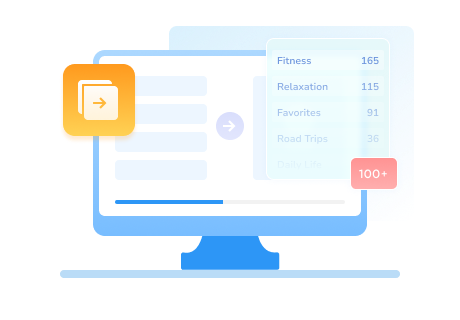
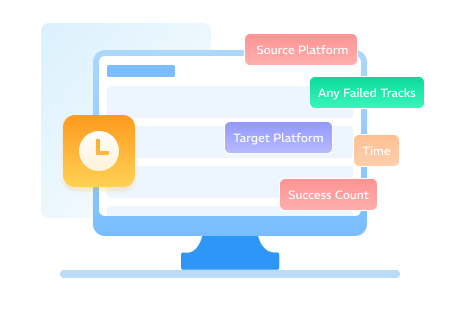
After moving dozens of playlists, it can be difficult to keep track of completed transfers and remember which jobs may still need attention. NB Transfer keeps a clear history of previous migrations, making it easy to return to an earlier job and review the overall results without manually checking every destination playlist.
Start simple or unlock advanced tools for power users who manage multiple accounts and need full data control.
Essential playlist transfer for everyday users
Advanced tools for music power users
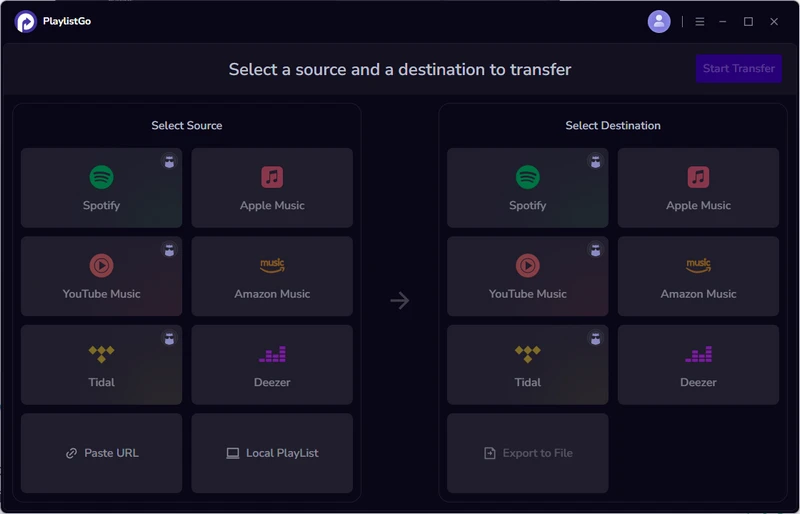
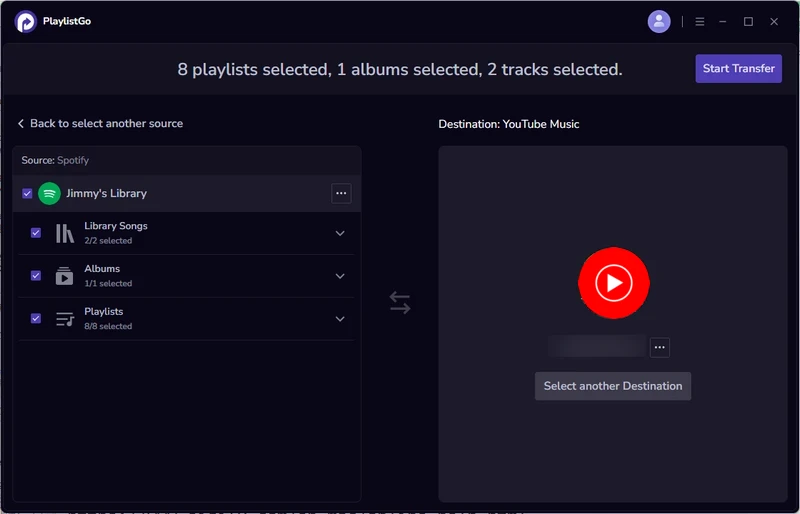
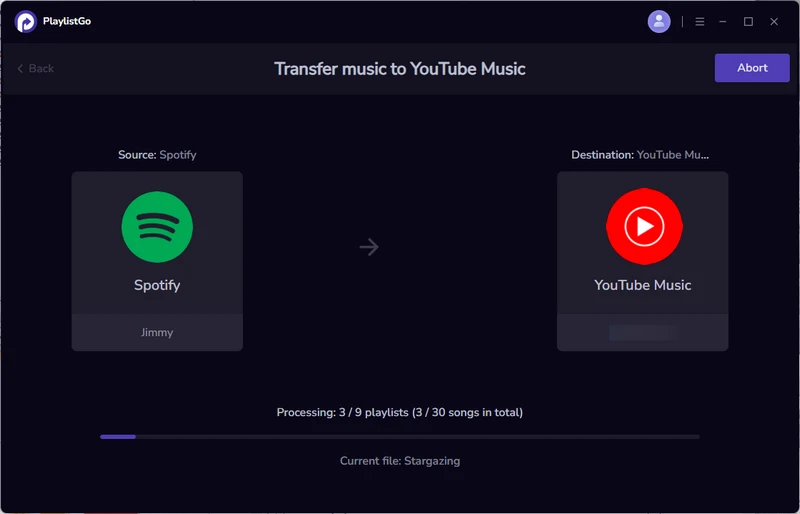
James R.

I tried two web tools first. One timed out, the other skipped half my tracks without telling me. This one moved all 124 playlists to YouTube Music in a single go. Only downside: it's a desktop app, so you have to be at your computer.
Sophie M.
Spotify to Qobuz, 41 playlists. Signed in to both, ticked the ones I wanted, hit start. Fifteen minutes later they were all in Qobuz. No settings to work out, no guide to read. Nothing about it needed explaining.
Marco L.
Moving 60 playlists off Deezer looked intimidating until I opened it. It walks you straight through — connect, select, transfer. I was finished before my coffee went cold, and the summary at the end named the few tracks it couldn't find.
Ryan P.
My playlists were split across two Spotify accounts and I wanted the lot on Apple Music. Switched between accounts inside the app without signing in and out each time. One evening, instead of the weekend I'd set aside for it.


Start your free transfer today and take your playlists with you.
Quick answers about supported services, transfers, privacy and licensing.
NB Transfer currently supports Spotify, Apple Music, YouTube Music, TIDAL, Amazon Music, Deezer, SoundCloud, Qobuz, Pandora and Line Music.
The free trial lets you connect supported music services, review track matches and transfer up to 10 tracks from each playlist. This gives you a chance to test the transfer process before purchasing the full version.
NB Transfer includes playlist transfer, batch transfer, smart song matching, transfer history and a license for one device. NB Transfer One adds playlist file import and export, multiple account management and activation on up to five devices.
Open NB Transfer, connect your Spotify and Apple Music accounts, select the playlists you want to move (you can select 100+ at once), and start the transfer. The smart matching engine will locate the corresponding tracks on Apple Music with 99.2% accuracy.
NB Transfer connects to each music service through its authorization process and does not ask for or store your account password. Matching and transfer tasks are managed through the desktop application, while authorized requests are sent directly to the connected services to read and create playlists.
Yes. Both versions support batch transfer of 100+ playlists in a single operation. The process remains stable even with large libraries, which is where many online tools fail or time out.
Available in NB Transfer One, CSV export lets you save playlist information such as track title, artist, album and playlist name as a local file for backup or editing. CSV import lets you load a saved playlist file into NB Transfer and transfer it to a supported music service.


